

 EN
EN CHI
CHI How to Start Backup Service Instantly for your Device
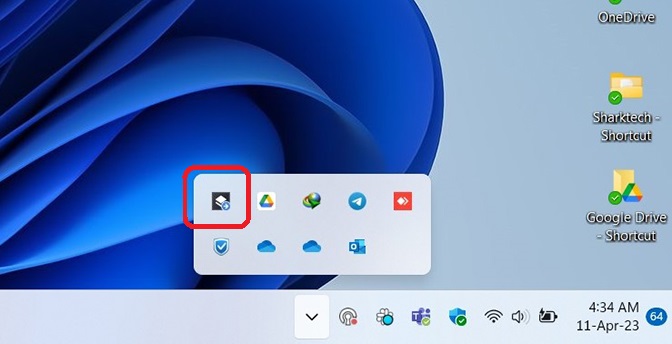
- Click on the Task Bar and Click on "Sharktech Cyber Protect Monitor"
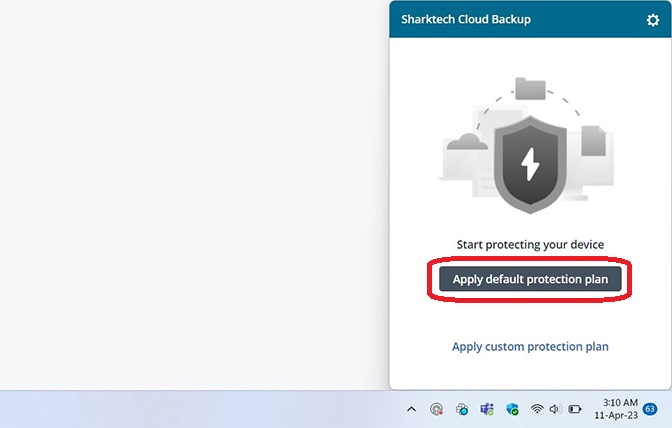
- Click on Apply Default protection plan.
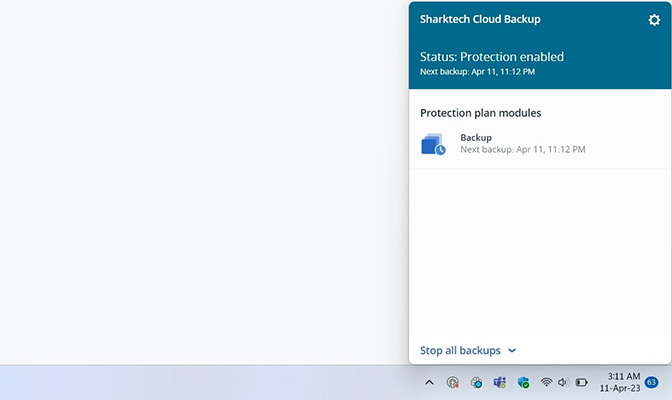
-
It will apply and enable the default protection service.
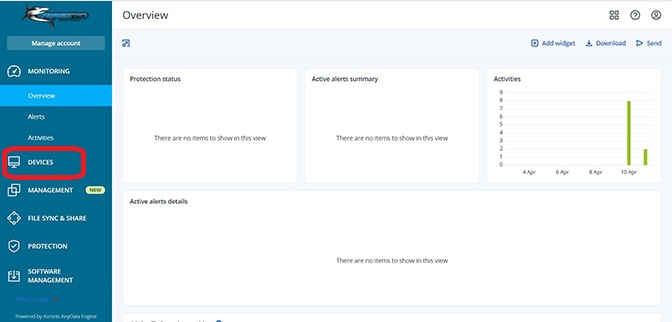
- Now Click on "DEVICES" in your Dashboard.
- Click on your Device.
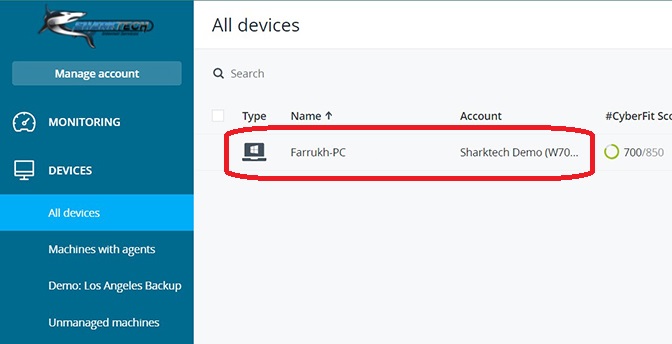
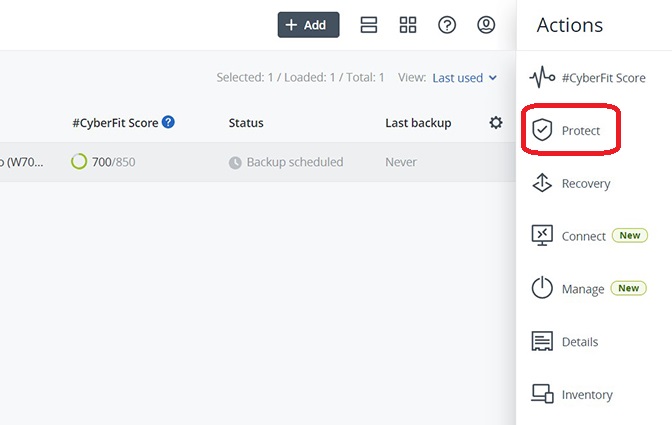
- A Sidebar will be shown, click on "Protect"
- Click on "Run Now"
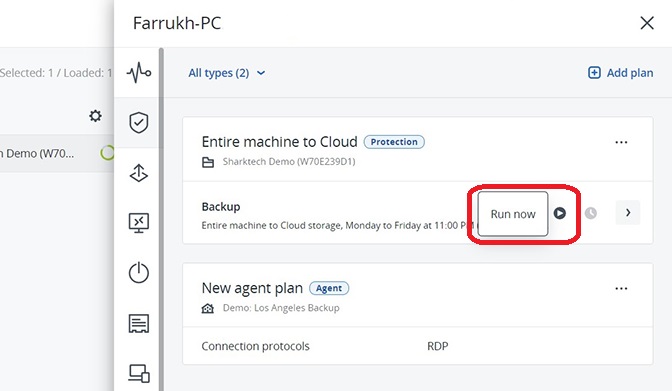
- Backup will start running instantly. You can also check this in the Taskbar on "Sharktech Cyber Protect Monitor" icon.
- You're Done.
- For complete documentation and guide, please check this link: https://dl.managed-protection.com/u/baas/help/23.01/user/en-US/index.html#welcome-to-cyber-protection.html
If you still need any help, please feel free to Submit Ticket to our Acronis Cloud Backup Section.